
The Analyst
Talk through the next decision.
Call your AI Analyst or continue by text. Work through your project in natural language, explore an alternative and review proposed changes before choosing what to apply.
Explore Feasly with your projectYour AI Analyst, alongside you
What happens to the value if we change the discount rate?
Listen to a 38-second call. Ask naturally, confirm the change and understand the financial effect.
Scripted demo · AI voices.
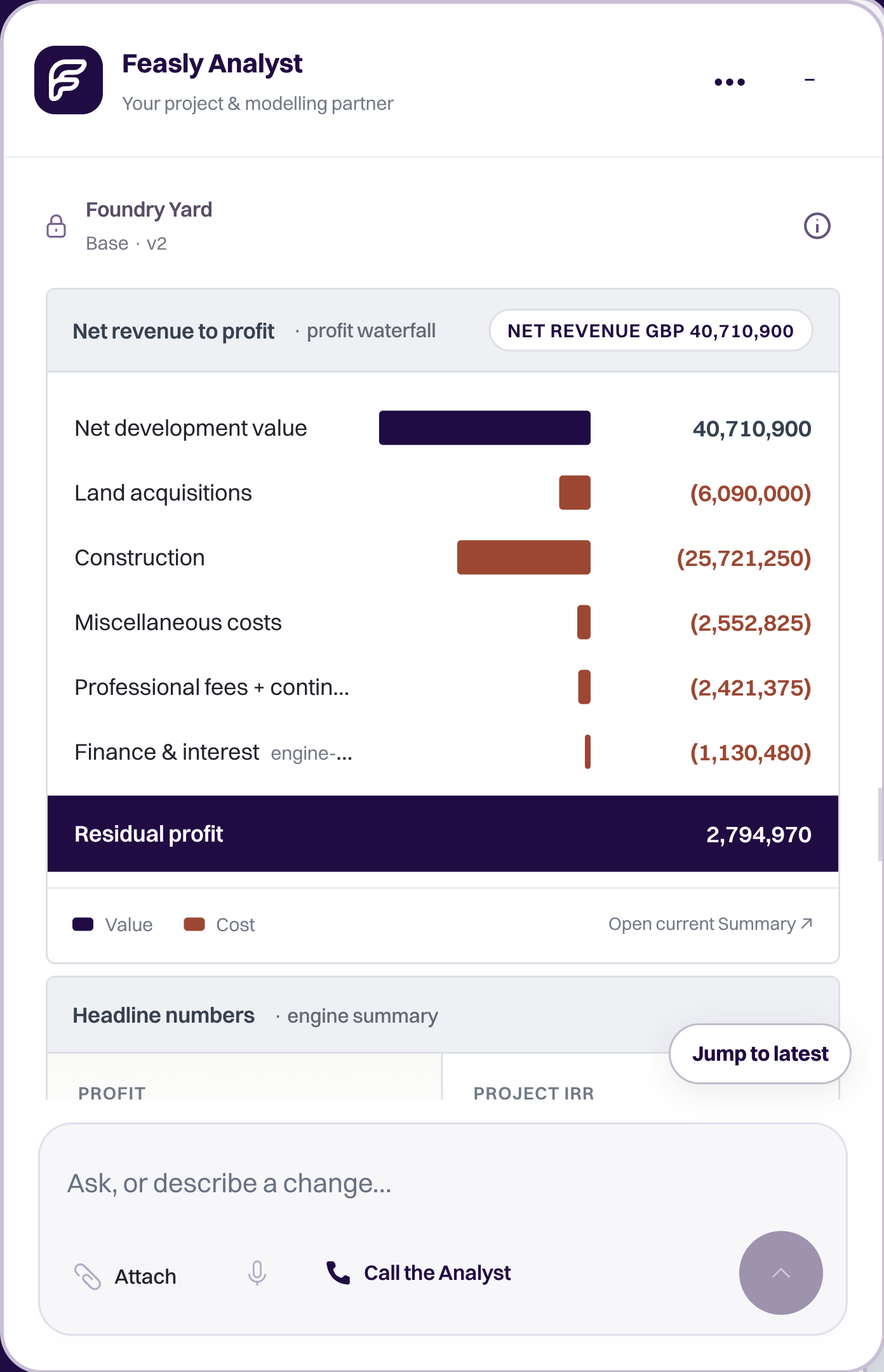
Then explore a proposed change.
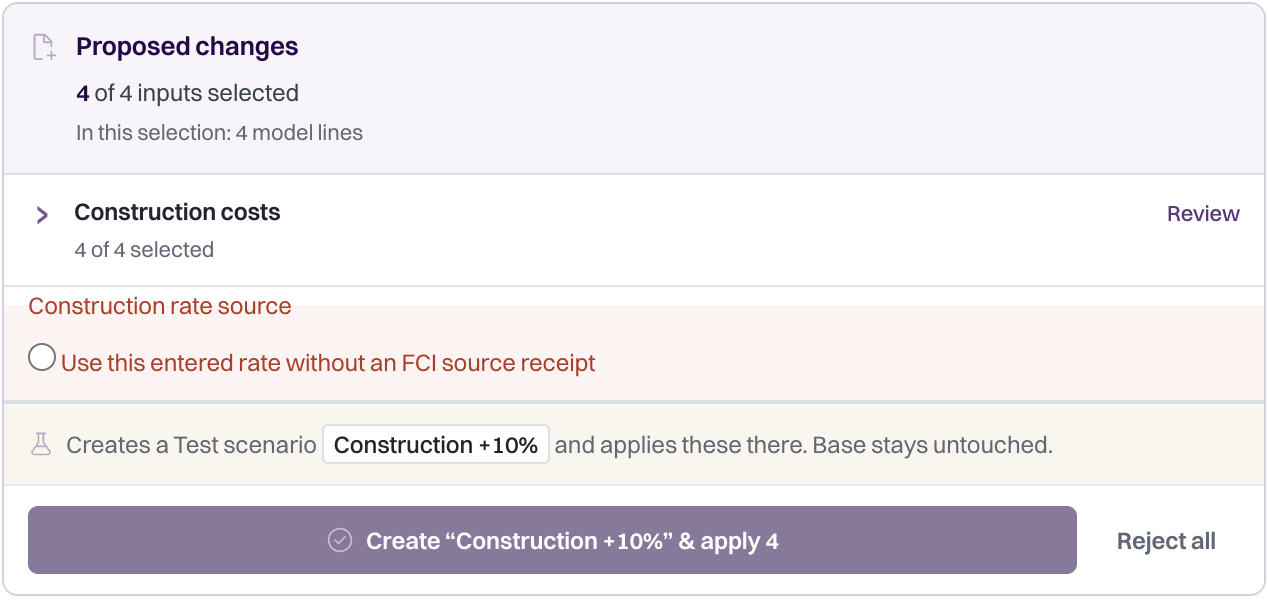
Inspect the proposed changes
Scroll across to inspect the original capture.
Keep the Analyst beside your model. Move or resize it, or open it in a separate window on another screen. Your project context and conversation stay with it.
Explore the workspace- Speak or type in English and Arabic
- Review changes before applying them
- Keep source documents in context

How the work moves forward
Your question. Your judgment.
“What happens if construction takes three months longer?” Explore the proposed change, then inspect the recalculated cashflow and returns after you apply it.
- 01Ask in context
- 02Review the proposal
- 03Choose what to apply
01Understand the model.
Ask about saved assumptions and results, or explain the figures you want to work with. Begin a model from the information you supply, or pick up an existing appraisal. Speak or type in English and Arabic.
 02
Review a proposed change.
The Analyst helps turn your intent into supported actions. Inspect the proposed edits and accept the changes you want; the Feasly Calculation Engine applies the financial methods to the accepted model. Explore a separate what-if before changing your main model. You retain the judgment behind the decision.
 03
Bring the source into the conversation.
Choose the project documents relevant to your question. A reference retains the exact document revision you selected, so you can return to the source behind the conversation as new revisions arrive.
04Build understanding as you work.
We are developing contextual guidance and training around the work people are doing, to help them understand the method, assumptions and next step. Discuss the current support available for your assignment with us.
AI with a model to examine.
Can AI help me build a property development feasibility?
Yes, if the assumptions and calculation method are made explicit. The Feasly Analyst can help begin a model from information you supply, explain a saved case and propose supported changes. You review the proposed edits before applying them; the Feasly Calculation Engine calculates the accepted model. Ask what a change does to monthly cash flow and funding as well as the headline return. You retain responsibility for the project evidence and the decision.
What should I supply before asking AI to build an appraisal?
Define the site or asset, currency, area and unit basis, development scope, costs, programme, sales or income assumptions, cash collection dates and funding terms. Identify the decision and outputs required. Mark unknowns as unknown and retain the source for material assumptions. A fluent answer or a precise return cannot fill gaps in the evidence.
Can I work with my Feasly projects in ChatGPT?
The official Feasly plugin for ChatGPT connects your saved models, scenarios and calculation engine. You choose the assumptions; ChatGPT uses Feasly’s tools, and the Feasly Calculation Engine calculates the result. Save your work to the same Feasly workspace. Install the Feasly plugin from the ChatGPT directory. A Feasly sign-in and enabled workspace access are required to open and save projects. Availability depends on your ChatGPT plan, region and workspace settings.
 Feasly Calculation Engine
See how accepted assumptions become cashflow and returns.
 Excel & files
Bring the work and source documents behind your questions.
From the library

Compare development software
Compare Feasly, EstateMaster, ARGUS Developer and Aprao against the work your team needs to do.
4 min read
Feasly vs ARGUS Developer
Start with phasing, funding and review requirements, then test how the model remains useful as the project changes.
4 min read
Feasly vs Aprao
Compare appraisal, finance, reporting and AI connectivity using current sources and a practical evaluation brief.
4 min read